Our Codrops case study on Zero, in plain words
Codrops published our technical breakdown of the Zero WebGL site. Here is what it covers, from the draw a zero unlock to texture uploads and adaptive quality.
Key takeaways
- Codrops published 'ZERO: The Engineering Behind a Defiant Interactive Narrative', our technical breakdown of the Zero site, on 17 July 2026.
- The site has no native scroll: a single virtual scroll value drives loading, animation, shaders, text and overlays across nine self contained segments.
- Early builds were around 35 to 40 MB; the final build ships at under 10 MB, with the interactive map loaded separately so it never blocks the opening.
- Texture uploads to the GPU were decoded off the main thread, queued into idle time and split into 256 pixel tiles, so scrolling never waits on an upload.
- An adaptive quality manager watches frame times and steps quality up or down, changing visual polish but never the story.
Codrops, the long running magazine for creative front end developers, published our technical case study on the Zero website on 17 July 2026. It is called “ZERO: The Engineering Behind a Defiant Interactive Narrative”, and you can read it in full on Codrops.
The original is written for developers and has code in it. This post is the short, plain language version, with the same images and videos.
What is the Zero site?
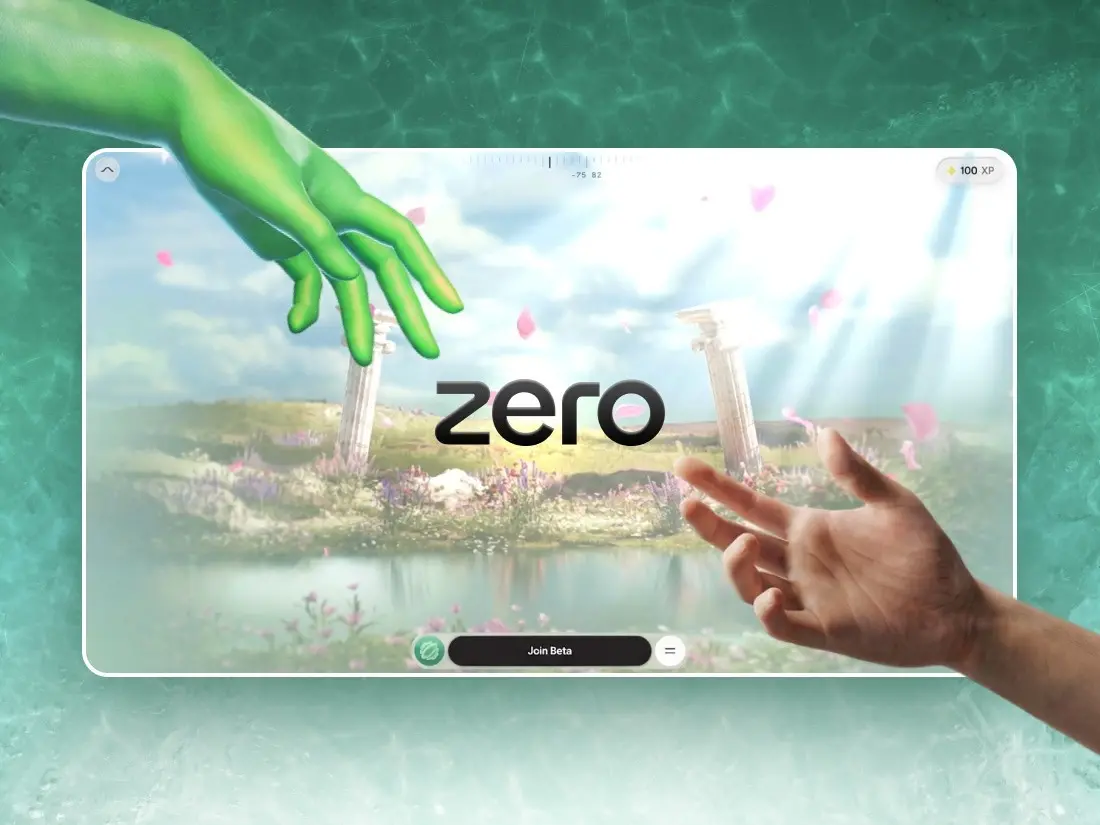
Zero is an immersive scroll driven WebGL site for Zero University. It challenges the traditional degree path.
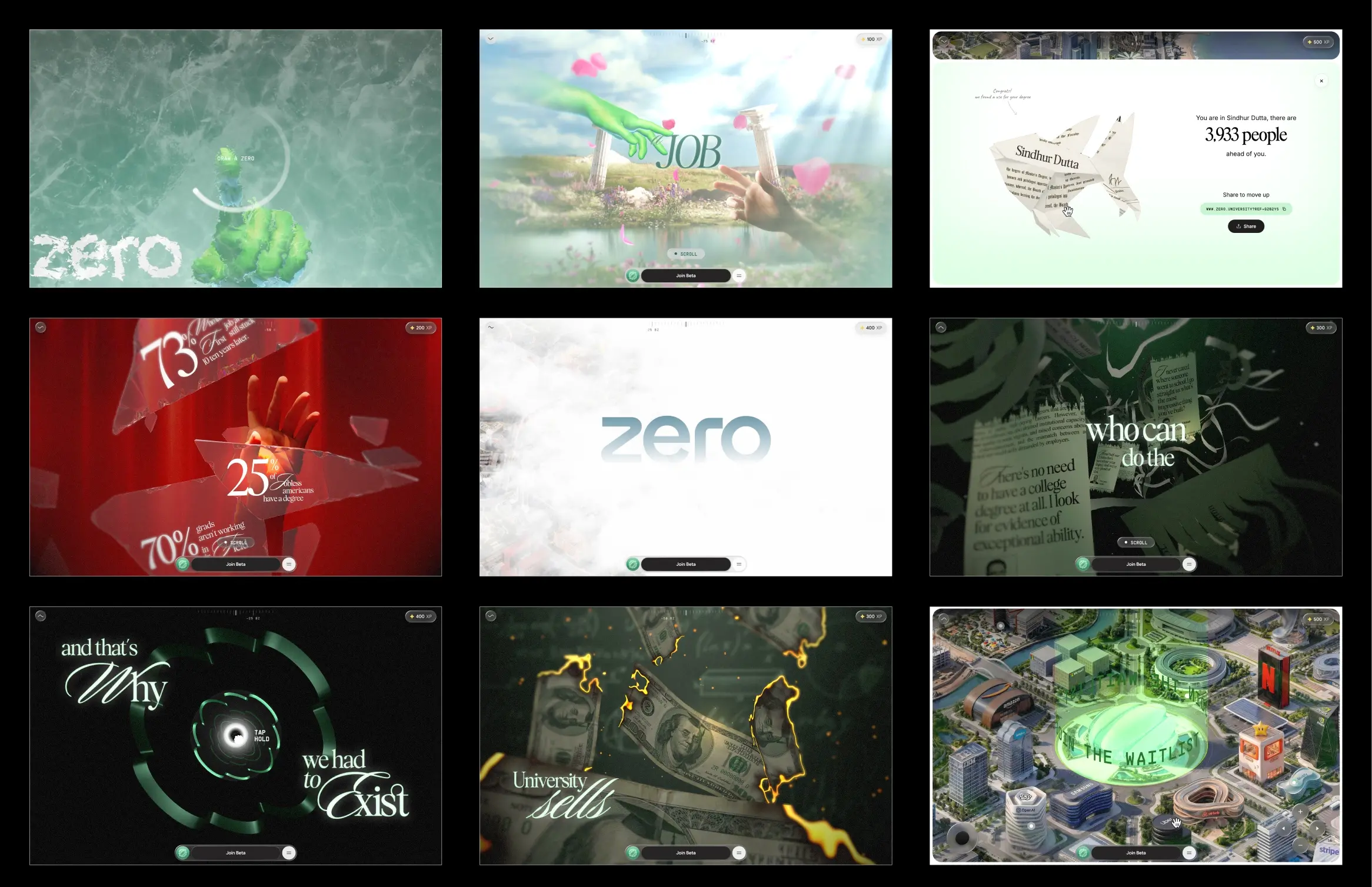
It opens locked. There is no enter button, only a prompt to draw a zero. When your circle closes, frost spreads from the stroke and reveals the experience. Six scrolling stages follow, joined by five interactive gates, and it ends on a city you can explore yourself. You can see the whole project in the Why Zero case study.
How did the project start?
With a working prototype instead of a presentation. Atul Khola’s team at Zero University had a strong concept. We built the draw a zero interaction in 48 hours and pitched with that. The prototype won us the project.
AI helped us get that first version running quickly. Then we spent the time refining it until the frost felt right. That pattern held for the whole build. Writing a first version became the easy part. Judging it, and improving it, was the real work.
Why does one number drive the whole site?
The site does not use the browser’s normal scroll at all. Wheel and touch input move a single virtual scroll value, which eases towards its target. Everything else, from loading to animation to shader timing and text, reads from that one number.
Each stage is a self contained segment that knows how to build itself, update itself and clean up after itself. There are nine of them. That made the code far easier to maintain, and debugging simpler too: jumping to a later stage replays every earlier one, so the site is always set up as if you had scrolled there.
Where did most of the time go?
Preparing the 3D for the web. The source files were production Blender scenes with uncompressed geometry, 8K textures and baked animations, more than a gigabyte in all.
A few decisions did most of the work:
- Compressed geometry. Every model ships with DRACO compression.
- Self hosted decoders. A slowdown on a public CDN once made every compressed asset fail, even though the assets were ours. If your decoder lives on someone else’s server, so does your pipeline.
- GPU friendly textures. A PNG may be small on disk, but it is fully unpacked in GPU memory. KTX2 with ETC1S compression stays compressed on the GPU and uploads faster.
- A compression previewer. We built a tool into our internal dashboard that shows compressed and original textures side by side. That let us tune each texture on its own rather than with one global setting.
- Atlases. More than fifty separate images became around a dozen shared atlases, and most gradient backgrounds became a few lines of shader code.
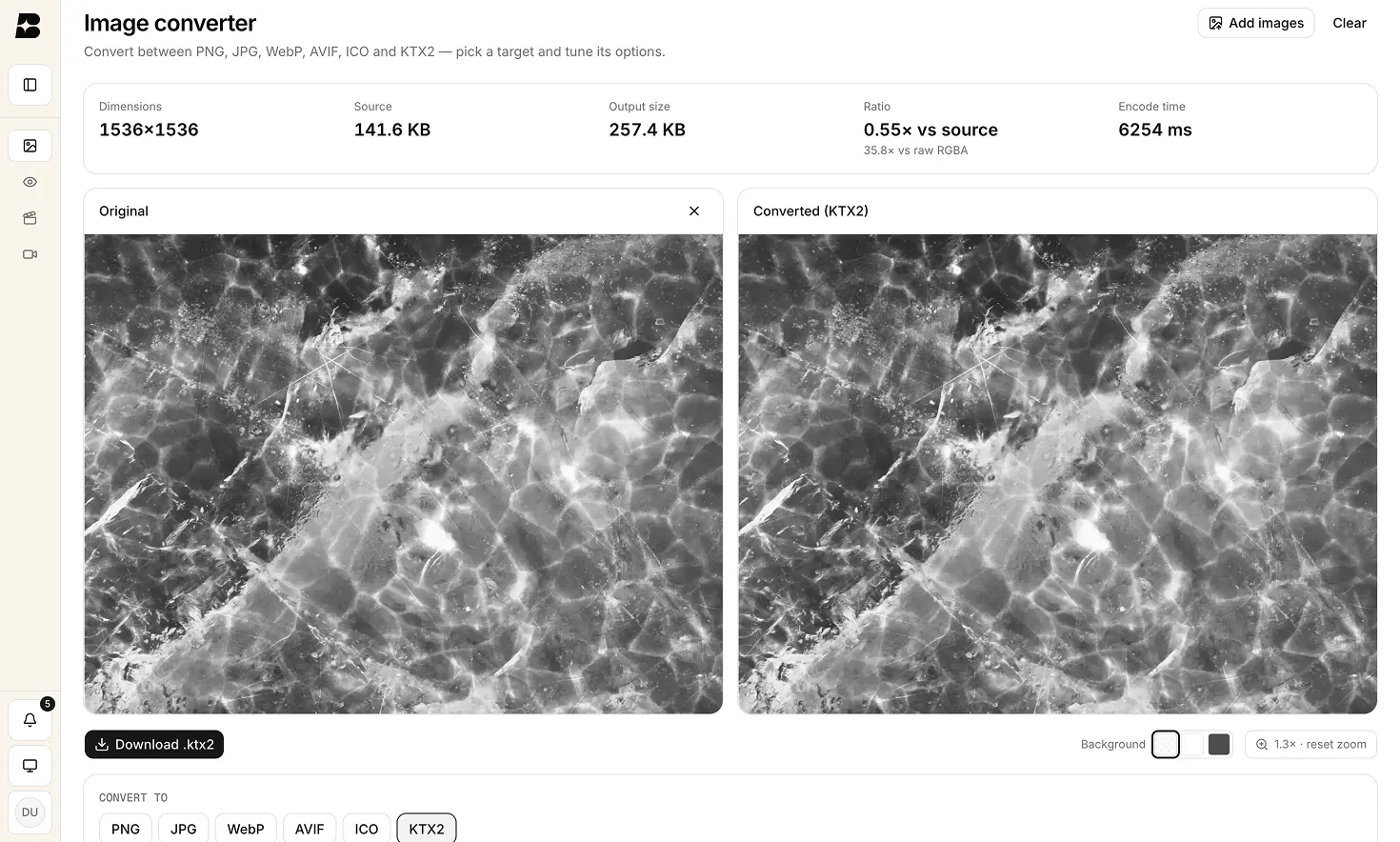
Early builds were around 35 to 40 MB. The final build ships at under 10 MB, and the interactive map loads separately so it never holds up the opening.
What is the stutter nobody sees coming?
Uploading textures to the GPU. Even a compressed texture has to be handed to the graphics card on the main thread, and a big one can block a frame for 50 milliseconds. If that happens mid scroll, you feel it.
We handled it three ways. Images are decoded off the main thread. Uploads wait in a queue and only run when the browser has spare time. And the largest textures are split into 256 pixel tiles, uploaded one per frame. Before each new stage appears, the queue is emptied, so nothing is uploaded for the first time while you scroll.
How does it run on cheap phones?
The site measures its own frame times and adjusts. If frames get slow, it steps down a quality tier. If they stay fast, it steps back up, with a cooldown so it does not flicker between the two.
The tiers only change polish: pixel density, blur, the detail on the coins, text resolution. The story is identical on a flagship and on a budget phone. Much of the last month went into profiling on a budget Android, hunting frame spikes one at a time. The worst was a single 157 millisecond frame.
How were the big moments made?
Each key moment has its own shader, written for that one effect.
The frost unlock
The frost grows outward from your stroke in four directions, and a frost texture shapes its edge so it looks crystalline. When the stroke is complete, its centre becomes the point the melt spreads from.
Lighting the hands without lights
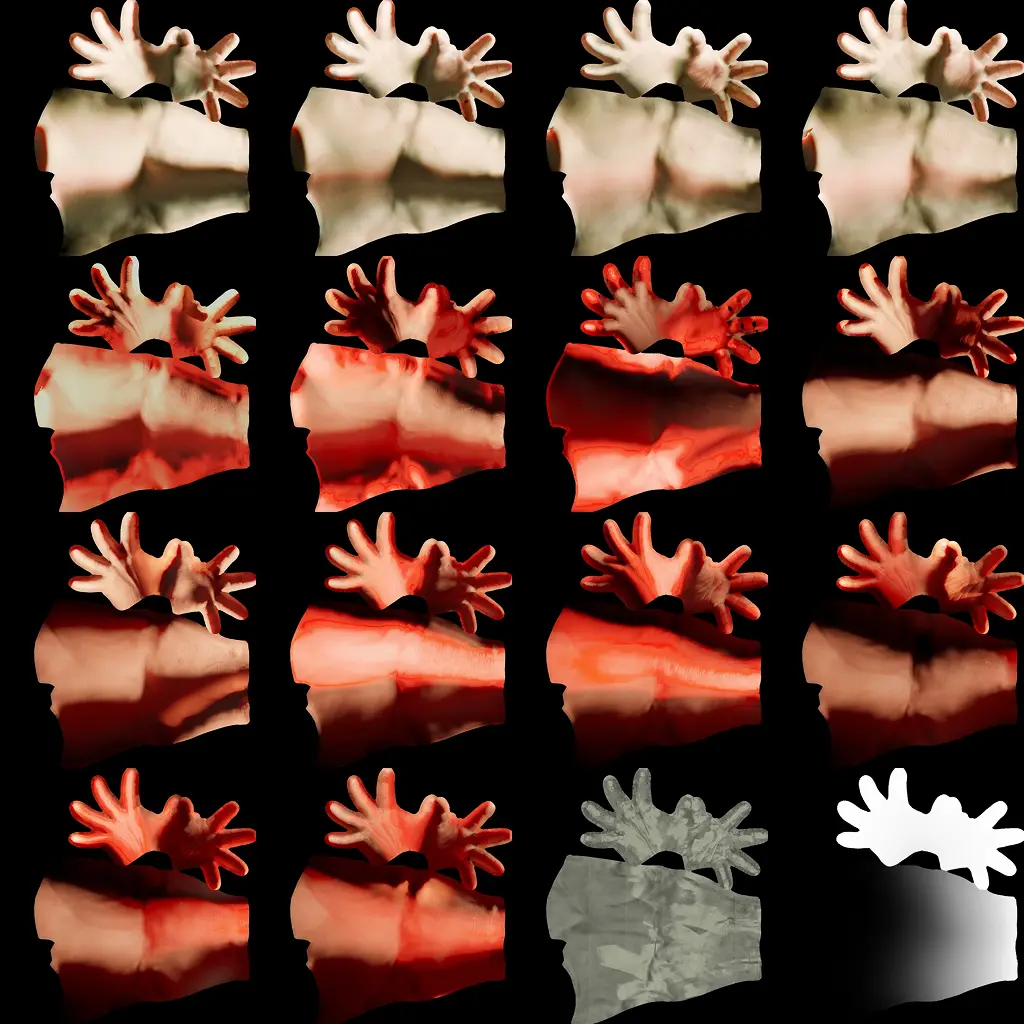
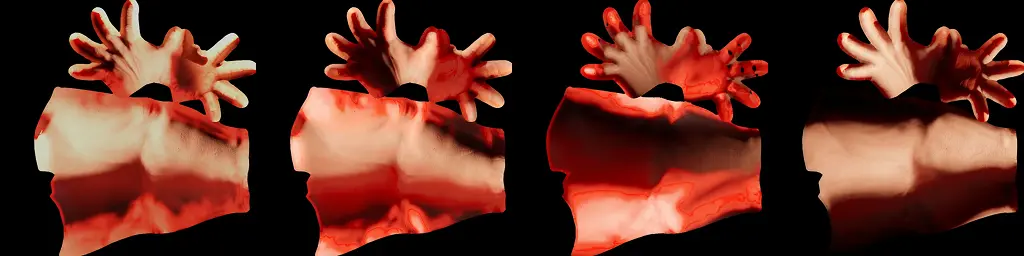
Real time lighting on the animated hands would have been too expensive, and it had to match the original artwork exactly. So the lighting is baked into textures, and the site crossfades between them as you scroll.
Burning money
Each bill dissolves with noise. Just ahead of the burn, a thin glowing ember rim appears, followed by the char.
Shredding certificates
Each certificate splits into strips. As the shred moves across the sheet, every strip comes away and falls and tumbles on its own.
The tunnel
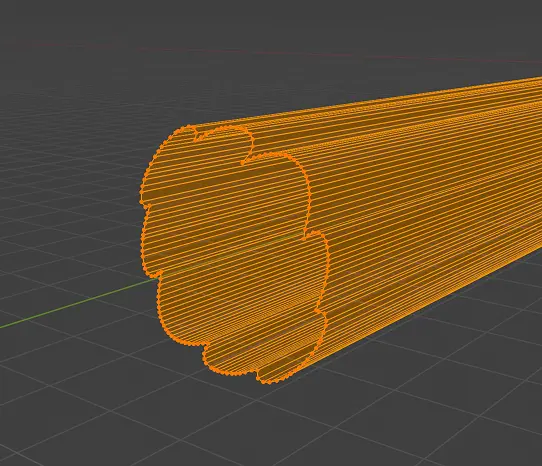
The tunnel is the Zero logo’s outline, extruded, with a pulse of light travelling through it. The pulse follows the tunnel’s position in space, so it stays seamless even where sections repeat.
Text that pulls into focus
The story’s text starts blurred and sharpens as it is revealed, instead of simply appearing. When no text is on screen, the effect is skipped entirely.
One lesson here cost us real time. Many mobile graphics chips treat medium precision as a true 16 bit number, which caused bugs that never appeared on desktop. Test on real phones from the start, not at the end.
How do the gates feel right?
Most of the gates share one press and hold system. While you hold, the whole frame slowly shifts towards dark red. When the glass shatters, the colour snaps back in about 200 milliseconds, as if the shards were breaking the darkness away. A slower 400 millisecond return felt noticeably weaker.
The shatter sound is tied to the first frame the break is actually drawn, not to a timer. On a slow phone, a timer would play the sound before you could see anything happen.
Where does it end?
In a city you explore yourself. The clouds part, Zero’s tower sits at the centre, and then the site hands you control. You can pan, zoom and open each marker for a role, a scenario and its tools, with a button to join the beta.
What was the main lesson?
Asset preparation and GPU uploads deserve as much attention as the rendering itself. The compression previewer, the self hosted decoders, the upload queue and the quality manager are not the exciting parts. They are the difference between a gigabyte of source files and a site under 10 MB that runs smoothly on a budget phone.
Why Zero went on to win, among others, Site of the Month from Awwwards, the FWA and Orpetron, and an Awwwards Developer Award. See every award it won.
Who made it?
From the Codrops credits: concept and design direction by Atul Khola, Sanjay, Saba, Hamsa Rasheem, Akshai and team for Zero University. Development, the 3D web pipeline, shaders and optimisation by Sindhur Dutta, Shuprobho, Yashas and team for BUNQ LABS.
If you want a site built with this kind of care, get in touch.
Questions
Frequently asked questions
Where can I read the Zero case study on Codrops?
It is on Codrops under the title 'ZERO: The Engineering Behind a Defiant Interactive Narrative', published on 17 July 2026 and written by Sindhur Dutta of BUNQ LABS.
What was the Zero website built with?
Three.js, custom GLSL shaders, GSAP, Howler for audio, DRACO for geometry compression and Vite, according to the credits in the Codrops case study.
How does the draw a zero unlock work?
It checks three things about your stroke: the total angle it turns through, how round it is, and whether it closes. If it passes, the centre of the stroke becomes the starting point for the frost effect.
Why host DRACO and KTX2 decoders yourself?
Because if the decoder lives on someone else's server, so does your pipeline. On Zero, a slowdown on a public CDN made every compressed asset fail to decode, even though the assets themselves were hosted locally.
Newsletter