
What makes a 3D product configurator convert?
A 3D configurator converts when it is fast on any phone, looks native to your brand, routes visitors by intent and designs the commercial moments as one set.
Key takeaways
- A 3D product configurator has to look photoreal on the phone a customer is actually holding, not only on a powerful workstation.
- An embedded configurator should look as though the client's own team built it, so its components need very little style of their own.
- Sorting visitors into high, medium and low intent, each with its own flow and KPIs, measures behaviour against the right goal instead of one overall conversion figure.
- Contacting a dealer, finding a dealer, reserving, contacting support and comparing variants are where configurators usually lose people, so they should be designed as one set.
- The homepage watch configurator for Tesels ships under 300 KB and loads in under a second on reasonable hardware, which proves the product's claim before any copy is read.
A 3D product configurator converts when it removes every reason to leave. It has to load fast and look photoreal on an ordinary phone. It has to feel like part of the brand’s own website. And it has to guide each visitor through the moment where exploring turns into buying.
We learned this designing Tesels, a 3D product configurator platform. Tesels is delivered to brands as a productised service. That means one product, set up for each client, rather than a custom build every time. It runs photorealistic configuration directly on the client’s own website. A customer picks a variant, chooses a base configuration, adds accessories and watches the result render live.
Over three months we designed its product, design system, brand identity, collateral and website. This article covers what we think makes a configurator convert, and the decisions behind each point.
Does a 3D configurator need to run well on mobile?
Yes. This is the first thing a configurator gets wrong.
Plenty of configurators look excellent on a powerful workstation. Your customer is probably not using one. They are holding a phone.
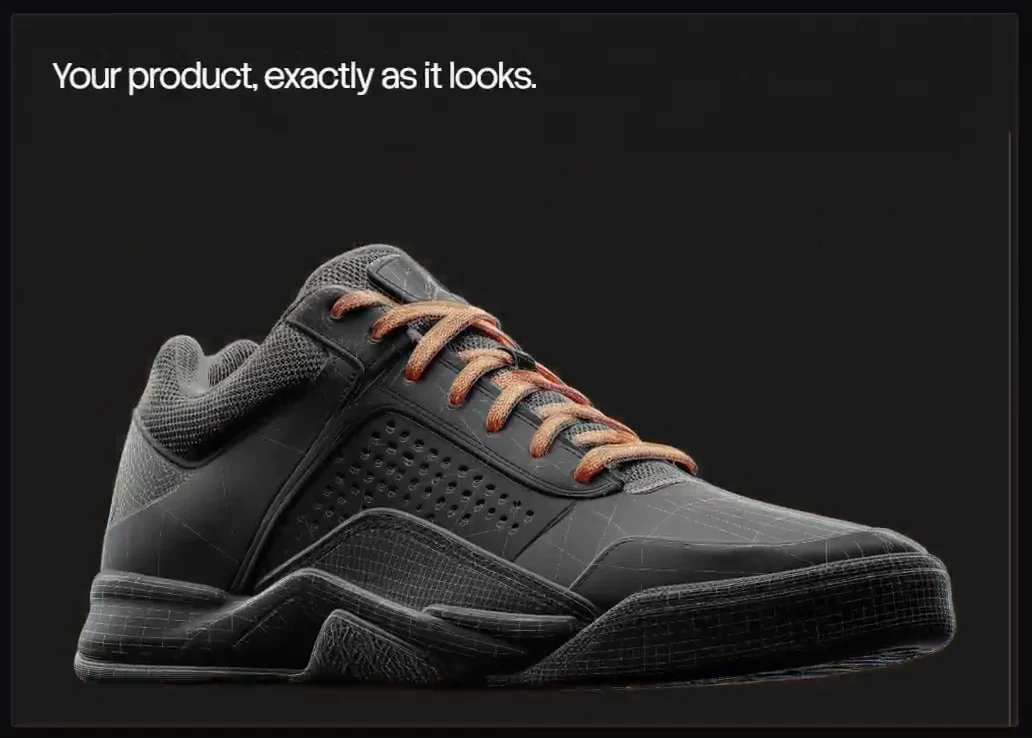
Tesels makes a specific promise: photorealistic output that stays performant on entry level hardware. “Performant” simply means it runs smoothly, without stutter or long waits. A configurator that looks beautiful but takes ages to appear has already lost the visitor.
That promise created a real tension in the design. Visual quality wants a soft, aspirational, image-led identity. Technical performance wants a precise, engineered, systematic one. The brand had to hold both at full strength. Either one alone would misrepresent what the platform does.
How do you make an embedded configurator look like part of your own website?
You build it with almost no style of its own.
A configurator is never seen as a product by itself. It sits inside a client’s website. It has to look as though that client’s own team built it. An electric two-wheeler brand and an automotive manufacturer need entirely different interface languages. Neither will accept something that looks bolted on.
Re-theme the system, never fork it
We built the base design system on the shadcn/ui approach. shadcn/ui is a way of building interfaces from small, plain components. Each one does one job and carries no fixed look. They combine into complex interfaces, and they take on whatever visual language you give them.
So each new client receives a configurator that looks native to their brand. The underlying system does not fork. “Forking” means copying the code into a separate version that then drifts apart from the original. Re-theming means changing the visual layer only, such as colour, type and shape, on top of the same components.
This is what makes a configurator service productisable rather than bespoke. New engagements are absorbed through re-theming, not rebuilds.
Why restraint scales
The temptation is to make a product look like yours. But in someone else’s website, every distinctive flourish is a thing the client will ask to have removed. Building unopinionated components was not modesty. It was the only way the product could scale past its first engagement.
Should a 3D configurator guide visitors or let them explore?
Both, and the visitor should choose. The answer depends on who has arrived, and it is never one kind of person.
Substantial research went into understanding who actually arrives at a configurator. We sorted visitors into three intent segments: high, medium and low. Intent means how close someone is to buying.
Give each segment its own flow and KPIs
Each segment got its own flow, mapped separately. Each also got its own KPIs, or key performance indicators: the numbers you watch to judge whether something works. This meant we could measure behaviour against the right expectation for that visitor. We did not rely on a single overall conversion figure that blends everyone together.
The segments need opposite things:
- A high intent visitor has come to finalise a specification. They need the interface out of their way.
- A low intent visitor is exploring for the first time. They need orientation, and will leave without it.
Ask one question at the door
Rather than guessing which visitor has arrived, the product simply asks. Would you like to be guided, or do you already know what you are doing?
One question, answered in a second, routes each visitor into the path built for them. Intent segmentation came before interface design. The entry question exists because the research found it.
Where do 3D configurators lose customers?
At the commercial moments. These are the points where an interactive session turns into a commercial one.
In Tesels the core layout pairs a 3D viewport, the area where the product renders, with a configuration panel. The same design system governs both. It also governs five commercial interactions, each a modal, which is a panel that opens over the page:
- Contacting a dealer
- Finding a dealer
- Reserving the configured product
- Contacting support
- Comparing variants
Each of these is precisely where a configurator usually loses people. A visitor has enjoyed exploring. Now they are being asked to commit, and any friction or change in tone breaks the spell.
So we designed the five as a coherent set, not as five individual screens. The same design system that governs the panel governs all of them. Moving from configuring to reserving should feel like the next step in the same experience.
What design principles help a configurator convert?
Here are the principles we would apply to any configurator, drawn from the Tesels work:
- Design for the phone your customer is holding. Photoreal output only counts if it stays performant on entry level hardware.
- Give the components very little style of their own. A configurator that has to look like everybody else should re-theme, never fork.
- Segment by intent before you design the interface. High, medium and low intent visitors each need their own flow and their own KPIs.
- Ask one question at the door. Let visitors choose to be guided or not, then route them.
- Design the commercial moments as one set. Dealer, reservation, support and comparison steps are where people leave.
- Let colour do semantic work. Keep the interface neutral until something can be acted on, then mark it.
- Show the product working, early. A demonstration beats a description, and it beats it early.
How should colour work in a configurator interface?
Colour should tell people what they can do, not decorate the screen.
The Tesels palette is a neutral base with a single accent. Greys, blacks and whites carry the entire system at high contrast. Bright orange is the only chromatic colour in it.
The rule is strict. The interface sits neutral until something is interactive, selected or active. Then orange marks it. Everything stays grey until you can act on it.
This is semantic colour: colour that carries meaning. It is exactly the logic a configurator already runs on, where the visitor’s job is to find what they can change and change it. Because orange appears only where something is interactive, the accent never has to compete with itself for attention. The brand behaves the way the product behaves.
How small and fast can a 3D configurator be?
Small enough to sit in a homepage hero without penalty.
The Tesels homepage opens with a live mini configurator built around a watch model. A visitor can change configurations in a few clicks. They can open an exploded view of the assembly, which pulls the parts apart to show how they fit. All of this happens within the hero section, before they read a single line of copy.
The numbers:
- The entire model asset ships at under 300 KB, fully optimised.
- It loads in under a second on reasonable hardware.
- It runs smoothly on effectively any device.
We chose a watch rather than a vehicle on purpose. A watch demonstrates material, finish and assembly at a model size small enough to load instantly.
That figure is the argument. Anyone evaluating configurator vendors has almost certainly sat through a heavy, slow demo elsewhere. Arriving at a site where a photoreal object is simply present and responsive within a second proves the core claim before any feature list is read. The most persuasive thing a configurator company can do is hand someone a configurator.
How do you explain features nobody can see?
With purpose-built illustration and interaction, not paragraphs.
Much of what makes Tesels valuable is invisible. The clearest example is its machine learning lead scoring. Lead scoring ranks visitors by how likely they are to buy, so sales teams know who to follow up first.
A static points model gives fixed points for fixed actions. Tesels does not run one. It adapts to actual visitor behaviour. It stays accurate whether a client site receives 1,000 visitors or 100,000.
That is hard to grasp from a description. So the website explains it with a custom visual that a marketing lead can understand in a few seconds. The same treatment runs through the rest of the feature sections. You can see these explanations in the Tesels case study.
What does this mean if you are considering a configurator?
Judge any configurator on the moments that decide a sale. Does it load quickly on an ordinary phone? Does it look like your brand, or like someone else’s product inside your site? Does it know who has arrived, and does it carry them smoothly from exploring to contacting a dealer or reserving?
These are design questions as much as engineering ones. They need to be answered together, which is how we approach product design and WebGL work across our services.
If you are planning a configurator, or building one and want a second pair of eyes on it, we would be glad to talk it through. Get in touch and tell us what you are working on.
Questions
Frequently asked questions
How fast should a 3D product configurator load?
As fast as you can make it. The hero watch configurator we built for Tesels ships under 300 KB and loads in under a second on reasonable hardware, so visitors see a working product before reading any copy.
Can a 3D configurator match our existing brand?
Yes, if the design system is built for it. Tesels uses plain, unopinionated components in the spirit of shadcn/ui, so each client gets a configurator that looks native to their brand while the underlying system never forks.
Should a configurator guide visitors or let them explore freely?
Ask them. Tesels opens with one question, whether the visitor would like to be guided or already knows what they are doing, and the answer routes them into the flow built for their intent.
Where do 3D configurators lose customers?
At the commercial moments: contacting a dealer, finding a dealer, reserving the product, contacting support and comparing variants. This is where an interactive session turns into a commercial one, so we designed those five interactions as one coherent set.
How does machine learning lead scoring work in a configurator?
In Tesels it adapts to real visitor behaviour rather than running a static points model, and stays accurate whether a client site receives a thousand visitors or a hundred thousand. The website explains it with a purpose-built illustration rather than a paragraph.
Newsletter